
Description
The media service logic operates somewhat differently compared to the SIP service logic. While SIP service logic is typically triggered once per call (or multiple times in the case of crankback), media service logic is activated by multiple events throughout the duration of the same call. For this reason, the variables are automatically saved at the end of each service logic invocation and restored before the next one.
The following limitations apply to media service logic:
- All processing nodes in the SIP and Accounting groups are not compatible with this type of service logic.
- The final node of a media service logic must be either an output node from the Media group or an exit service logic node.
Events
The event name is stored in the "event" variable. Typically, a service logic designed to handle media events begins with a Sequential Conditions node to distinguish between the various received events.
start event
This event is triggered when the media processor receives an incoming call.
The following variables are initialized before the media service logic is executed:
- event: "start"
- calling: calling number
dtmf event
This event is triggered when a dtmf digit has been pressed during the call.
The following variables are initialized before the media service logic is executed:
- event: "dtmf"
- digit: digit pressed. Can be one of 0,1,2,3,4,5,6,7,8,9,*,#,A,B,C,D
playback_started event
This event is triggered when the playback of an announcement, initiated by either the Play Media or Play Text-To-Speech node, has started.
The following variables are initialized before the media service logic is executed:
- event: "playback_started"
- media: media announcement that stated playing.
INFO
For Text-to-Speech, the media variable holds the location of the audio file generated by the Text-to-Speech server, but its stability is not guaranteed.
playback_finished event
This event is triggered when the playback of an announcement, initiated by either the Play Media or Play Text-To-Speech node, has completed.
The following variables are initialized before the media service logic is executed:
- event: "playback_finished"
- media: media announcement that ended playing.
INFO
For Text-to-Speech, the media variable holds the location of the audio file generated by the Text-to-Speech server, but its stability is not guaranteed.
originated event
This event is triggered when an endpoint called via the Originate call is successfully connected.
The following variables are initialized before the media service logic is executed:
- event: "originated"
timeout event
This event is triggered when the timeout set with the Set timeout node has been reached.
The following variables are initialized before the media service logic is executed:
- event: "timeout"
How to build a sample scenario
In the following picture a media service logic is used to:
- Play a welcome message when an incoming call is received.
- If "#" is pressed, the call will be terminated.
- If "*" is pressed, the call will be connected to the "Other Party" endpoint.
- Otherwise, it waits for a 4-digit PIN to be entered, and once entered, an announcement is played stating the PIN.
- After an announcement is played, a timeout is initiated to close the call if it remains inactive for a certain period.
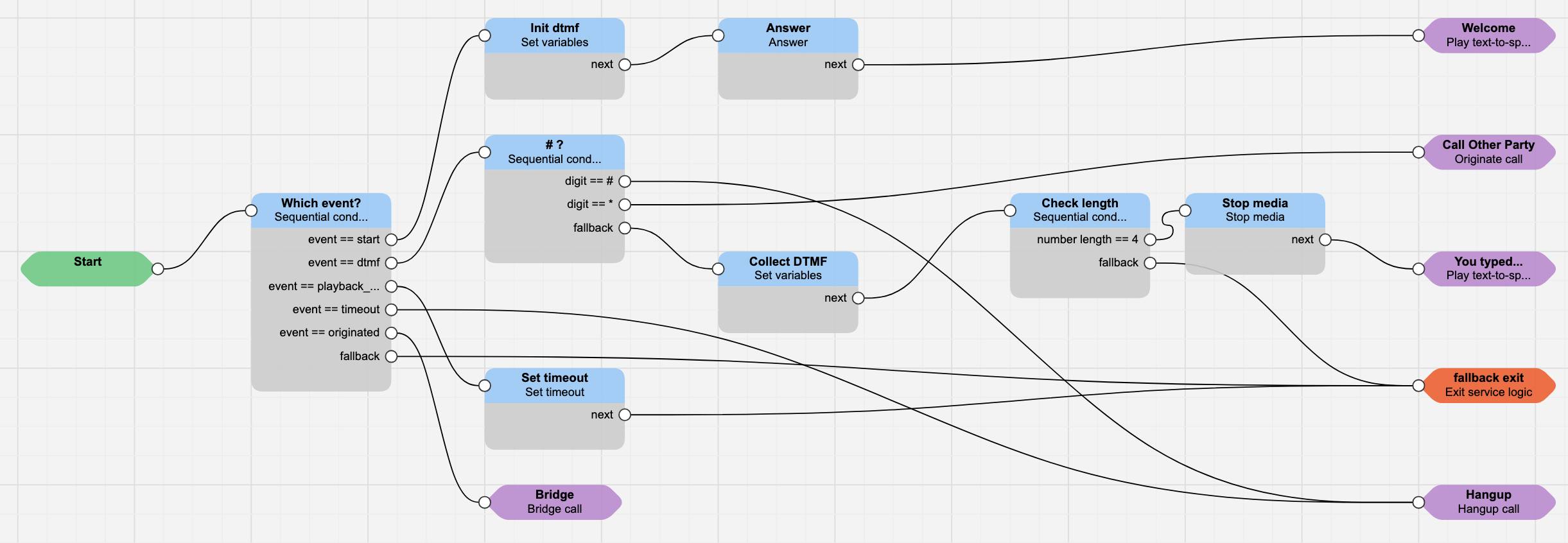
The media service logic starts with a sequential condition, to let the execution determine what event is happening. Depending on the event, different actions will be triggered.
How to run a media service logic
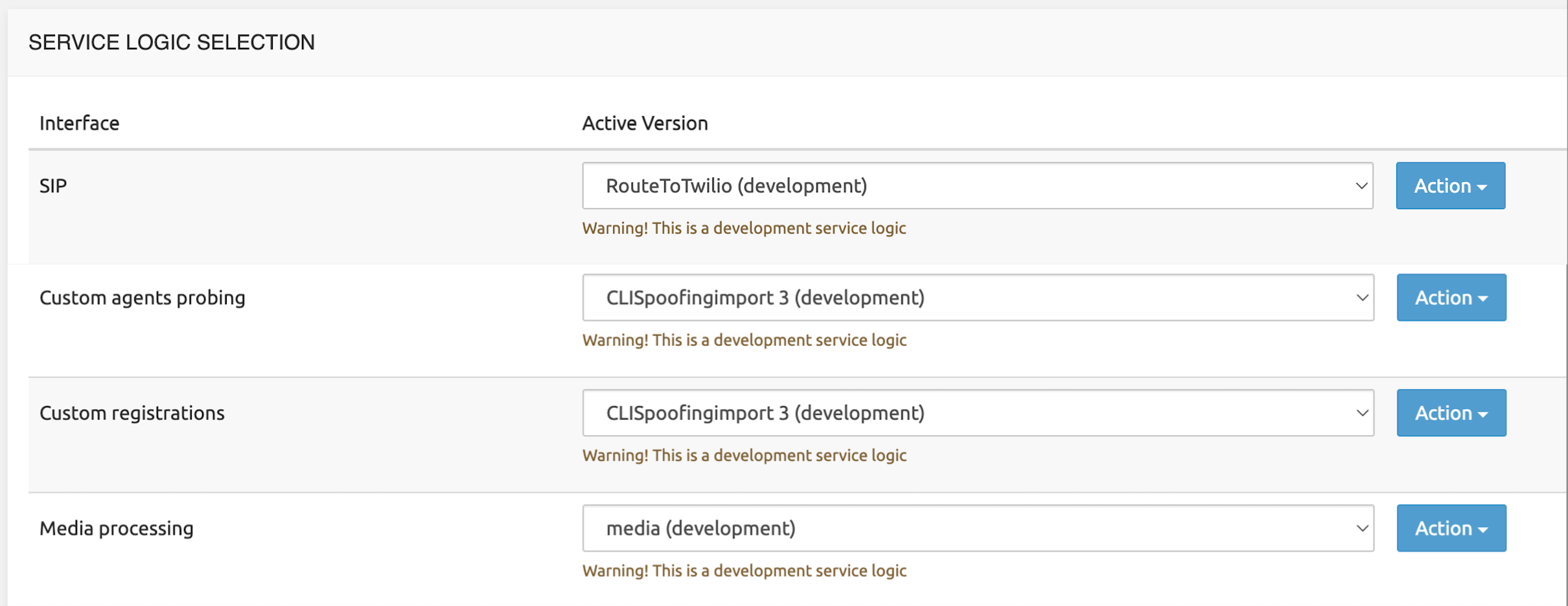
- add the media service logic in the service logic selection page: this will be the service logic executed once, for example, a SIP service logic will ask for a media service
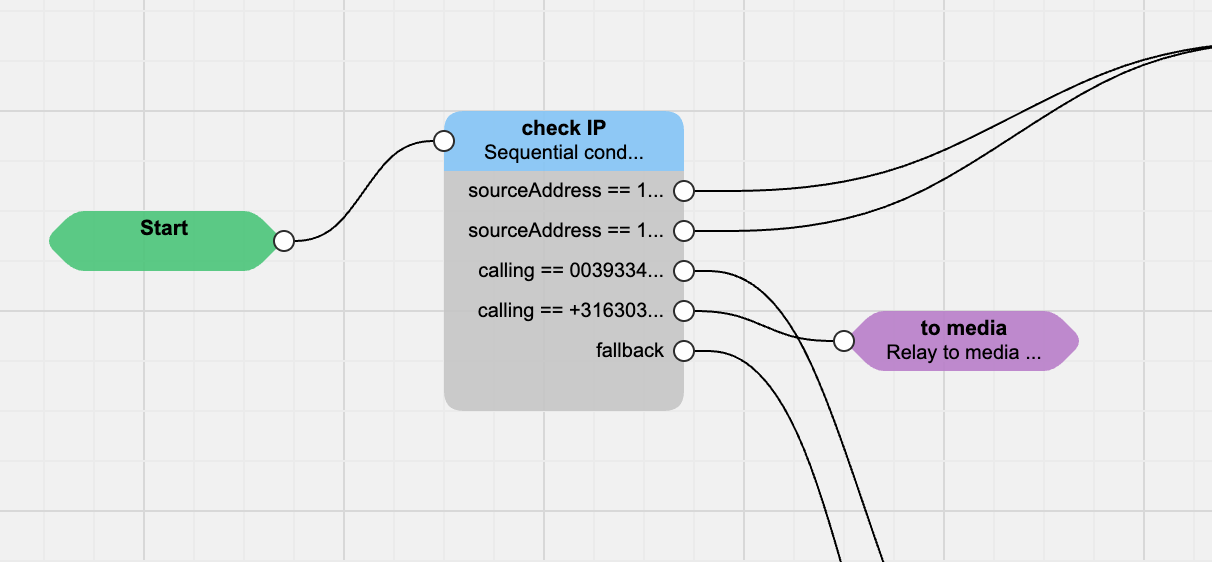
- trigger the media service in a SIP service logic with the node Relay to Media Server: this will instruct the service logic to look for the media service logic selected at the previous point.
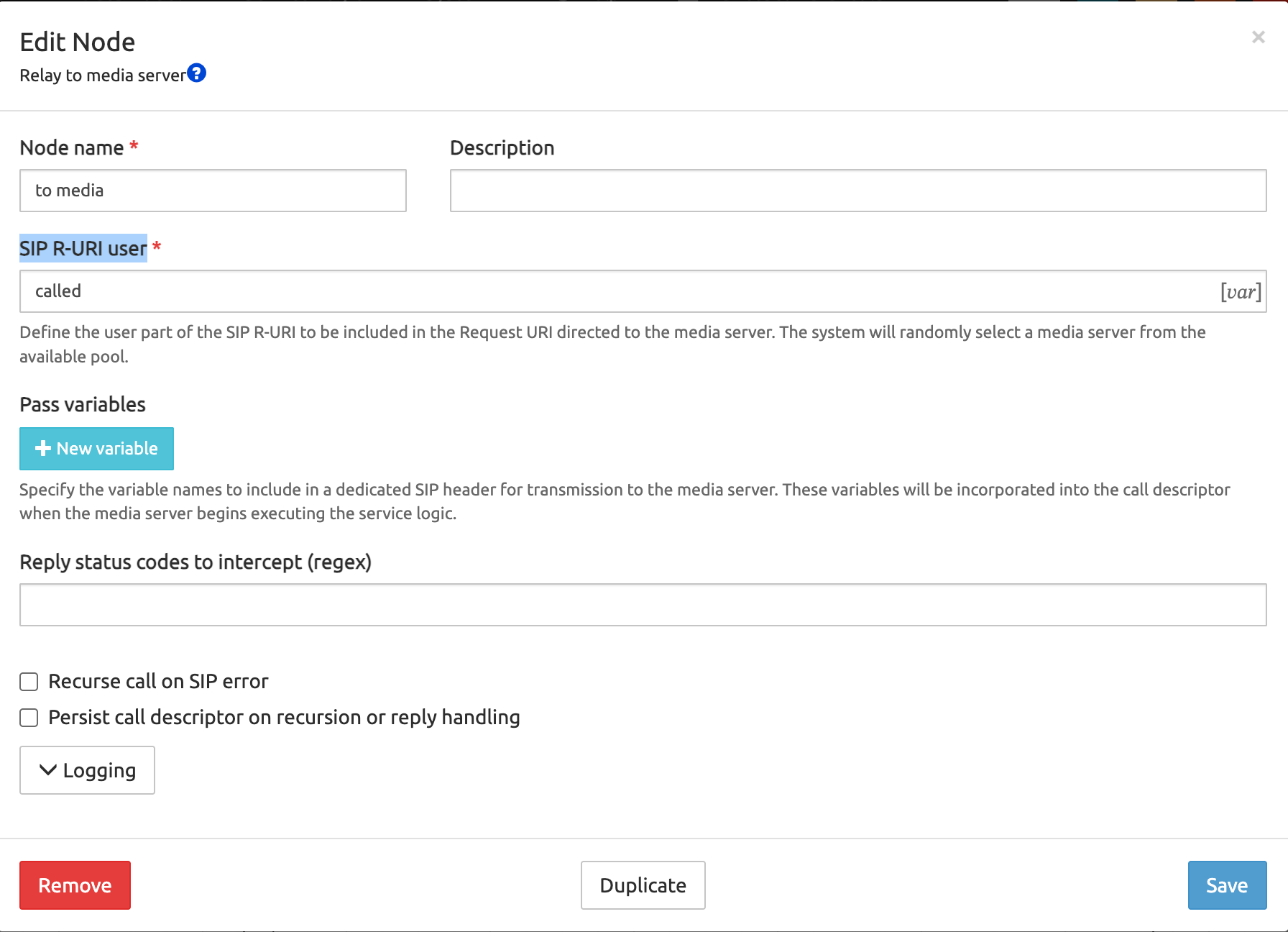
Note that the node Relay to Media Server is requesting the mandatory parameter SIP R-URI user: you can decide to use what you prefer (for example one of the predefined variables, such as requestUsername or called).
INFO
If you want to verify what's happening during the execution of the media service logic, don't forget to activate the trace related to the media (as the example below - be careful in tracing calls in a production system!)
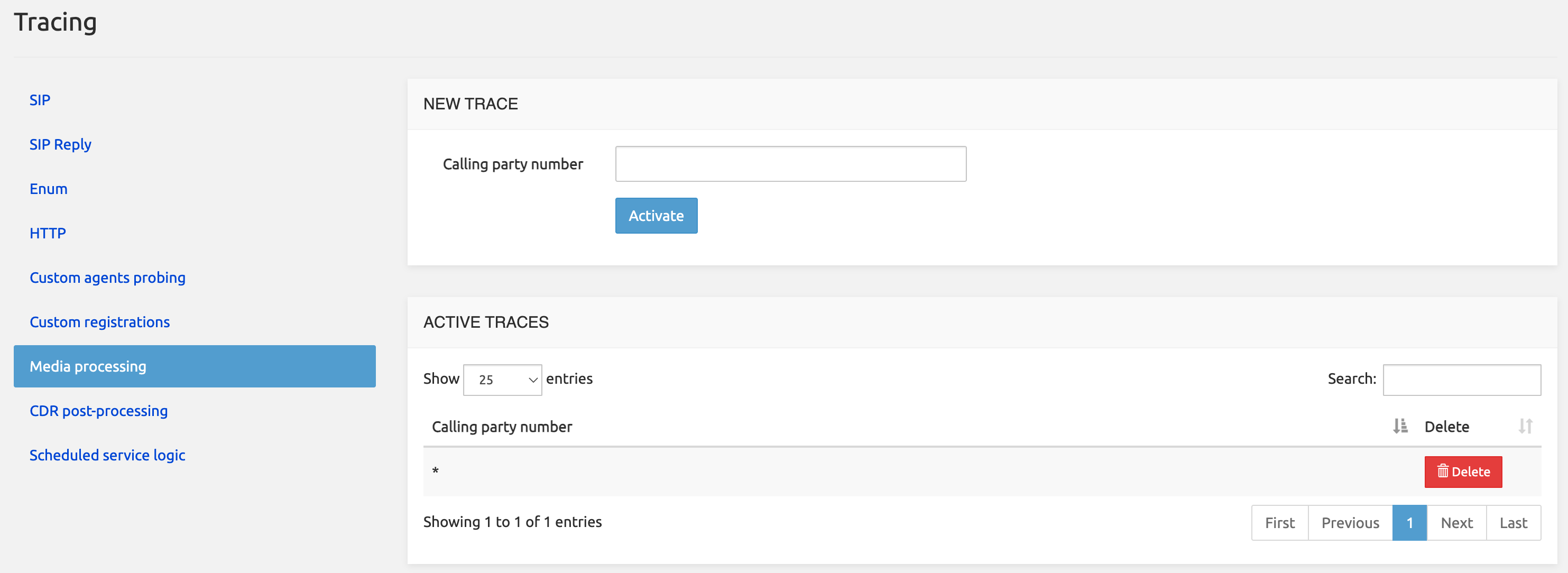
After the trace is active, and a call is placed, in the service logic editor you will see all the events occurred in the "traces" tab.